🚀Monday.com Review (2026): The Ultimate Work OS for Teams & Businesses
🧠 Introduction: What is Monday.com?
In today’s fast-paced digital workplace, managing projects, teams, and workflows efficiently can make or break your business. That’s where Monday.com steps in.
Monday.com is a powerful Work Operating System (Work OS) that helps teams plan, organize, and track work—all in one visually intuitive platform. Whether you’re managing marketing campaigns, product development, or daily operations, Monday.com transforms chaos into clarity.
👉 With its customizable dashboards, automation features, and collaboration tools, it’s become one of the most popular productivity platforms worldwide.
⭐ Key Features of Monday.com
📊 1. Visual Project Management
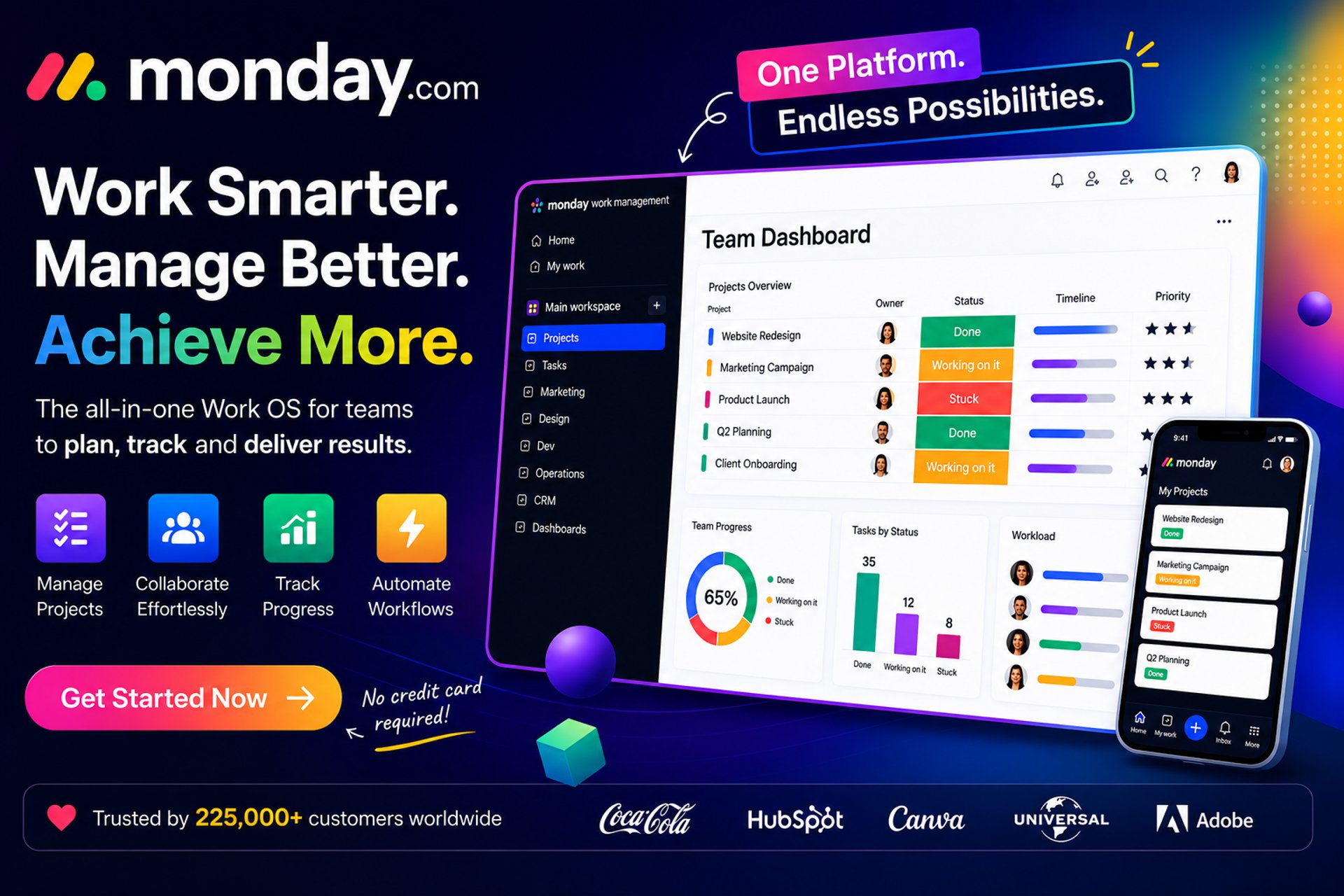
Monday.com uses boards, timelines, and dashboards to give you a clear visual overview of all tasks and projects.
Kanban, Gantt, Calendar & Timeline views
Drag-and-drop interface
Real-time updates
⚙️ 2. Powerful Automation
Automate repetitive tasks and save hours every week.
“If-this-then-that” workflows
Auto-assign tasks
Deadline reminders & status updates
🤝 3. Team Collaboration Tools
Keep your team aligned and productive.
Comments, mentions, and file sharing
Real-time communication
Centralized workspace
🔗 4. Integrations with 200+ Tools
Connect Monday.com with your favorite apps:
Slack, Zoom, Google Workspace
CRM tools and marketing platforms
Zapier for advanced automation
📈 5. Custom Dashboards & Reporting
Track performance and make data-driven decisions.
Visual analytics
KPI tracking
Workload management
👥 Who is Monday.com Best For?
Monday.com is incredibly versatile and works for:
🧑💼 Business owners & startups
📣 Marketing teams
🧑💻 Product & development teams
🏢 Enterprises managing large workflows
🎯 Freelancers & remote teams
👉 If you need organization, automation, and collaboration in one platform, Monday.com is a strong choice.
✅ Benefits of Using Monday.com
✔️ Easy-to-use visual interface
✔️ Highly customizable workflows
✔️ Saves time through automation
✔️ Improves team collaboration
✔️ Scales with your business
💡 Biggest Advantage: You don’t need technical skills to build powerful workflows.
💼 Real-World Applications
Here’s how teams are using Monday.com:
📣 Marketing Campaign Management
Plan, execute, and track campaigns across multiple channels.
🛠️ Project & Task Management
Assign tasks, set deadlines, and monitor progress in real time.
🧾 CRM & Sales Pipelines
Manage leads, deals, and customer interactions efficiently.
🧑💻 Product Development
Track bugs, features, and releases with agile workflows.
💰 Pricing Overview
Monday.com offers flexible pricing plans:
🆓 Free plan (limited features)
💼 Basic / Standard / Pro tiers
🏢 Enterprise solutions
👉 Pricing depends on team size and features—but it’s scalable for any business.
⚖️ Pros & Cons
👍 Pros
Extremely user-friendly
Powerful automation
Beautiful UI/UX
Highly customizable
👎 Cons
Can get expensive for large teams
Learning curve for advanced features
Some integrations require higher plans
🏆 Final Verdict: Is Monday.com Worth It?
Absolutely.
If you're looking for a flexible, scalable, and visually intuitive productivity platform, Monday.com is one of the best tools on the market today.
It’s especially powerful for teams that want to centralize work, automate processes, and boost productivity without relying on multiple disconnected tools.
🔥 Get Started with Monday.com (Affiliate CTA)
👉 Ready to streamline your workflow and boost productivity?
🚀 Start using Monday.com today:
👉 Try Monday.com Free Trial
💡 No credit card required. Set up your workspace in minutes.
📌 Final Thoughts
Monday.com isn’t just a project management tool—it’s a complete work management ecosystem.
Affiliate Disclosure
THE BEST AI TOOLS HUB participates in affiliate programs. This means we may earn a commission when you purchase through our links—at no extra cost to you. These commissions help us maintain and grow the platform while continuing to deliver high-quality AI content.