Zapier Review 2026: Features, Pricing, Pros & Cons, and Real-World Use Cases
Zapier is one of the most popular no-code automation platforms available today. It helps businesses and individuals connect thousands of apps and automate repetitive tasks without needing programming skills. Over the years, Zapier has evolved from a simple workflow connector into a broader AI orchestration platform with tools for automation, databases, forms, chatbots, and AI agents.
Key Features
Massive App Integration Library
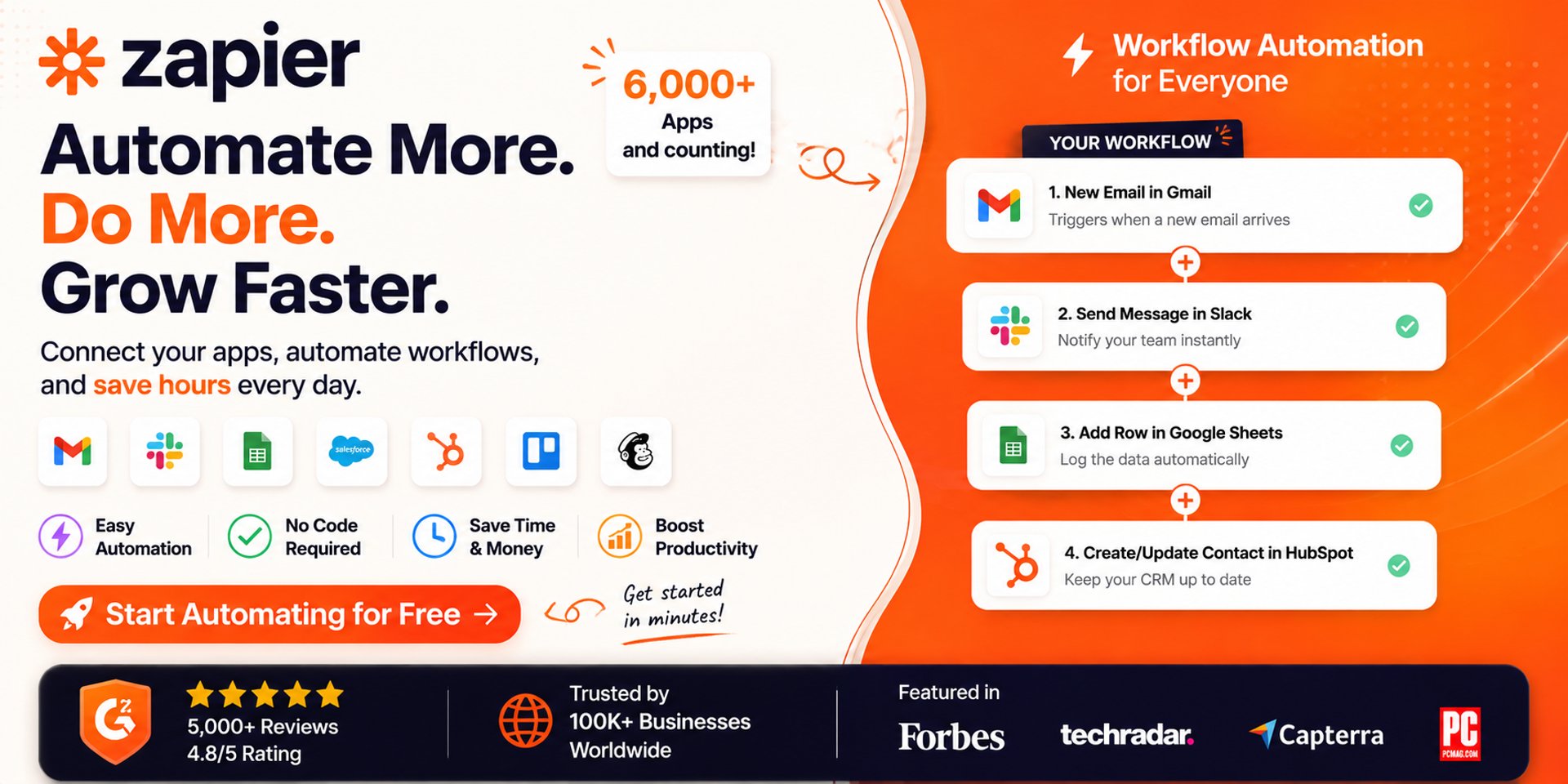
Zapier supports more than 8,000 app integrations, including Gmail, Slack, Salesforce, Notion, Shopify, HubSpot, and Google Workspace.Zaps (Automated Workflows)
Users can create trigger-and-action workflows called “Zaps.” For example, when a customer submits a form, Zapier can automatically add the lead to a CRM and send a Slack notification.Multi-Step Automation
Advanced workflows support filters, conditional logic, scheduling, webhooks, and branching paths for more complex business processes.AI-Powered Automation
Zapier now includes AI tools such as AI Agents, Chatbots, Canvas, and MCP integrations that allow AI systems to interact with connected apps.No-Code Interface
The visual workflow builder makes automation accessible to non-technical users while still offering advanced options for developers.Templates and Pre-Built Workflows
Zapier provides thousands of automation templates that help users get started quickly.
Who Is It Best For?
Zapier is best suited for:
Small to Medium Businesses looking to automate routine workflows
Marketing and Sales Teams managing leads, email campaigns, and CRM updates
Non-Technical Users who want automation without coding
Startups and Solopreneurs trying to save time by reducing manual tasks
Operations Teams connecting multiple SaaS tools together
It is especially valuable for teams that rely heavily on cloud applications and want fast deployment without building custom integrations.
However, larger technical teams with highly customized workflows may eventually prefer platforms that offer more control, self-hosting, or advanced orchestration. Reddit discussions frequently mention pricing and scalability as potential drawbacks for high-volume automation.
Benefits
1. Saves Time
Zapier removes repetitive manual work by automating routine tasks across apps.
2. Easy to Use
Its drag-and-drop interface makes workflow automation approachable even for beginners.
3. Huge Ecosystem
The platform’s biggest strength is its integration network, allowing businesses to connect nearly every major SaaS tool they already use.
4. Scalable Automation
Businesses can start with simple automations and gradually build more advanced workflows as they grow.
5. AI Workflow Support
Zapier’s newer AI features help businesses automate more intelligent tasks such as summarizing emails, qualifying leads, or managing chatbot interactions.
6. Flexible Pricing Options
There is a free plan available for basic usage, while paid plans unlock advanced workflows and premium app integrations.
Real-World Applications
Marketing Automation
Automatically send leads from Facebook Ads or website forms into CRMs like HubSpot or Salesforce while notifying sales teams instantly.
E-Commerce Operations
Online stores can automate order processing, inventory updates, shipping notifications, and customer follow-ups.
Customer Support
Zapier can create support tickets from emails or chat messages and assign them to the right teams automatically.
Content Management
Bloggers and marketing teams often use Zapier to publish content across multiple platforms simultaneously.
Team Productivity
Businesses use Zapier to automate meeting scheduling, Slack notifications, task creation, and reporting workflows.
AI-Powered Workflows
Companies are increasingly using Zapier’s AI integrations for lead qualification, email summarization, chatbot responses, and workflow orchestration.
Pros & Cons
Pros
Extremely Easy to Use
Zapier’s visual no-code builder makes workflow automation accessible even for beginners.Huge Integration Ecosystem
With support for thousands of apps, Zapier can connect nearly every major SaaS platform businesses already use.Fast Setup Time
Most automations can be created in minutes using templates and guided workflow builders.Reliable for Simple Automations
Zapier is widely praised for stable app-to-app automation and dependable execution. Reddit users frequently mention that “it just works” for common business workflows.Strong AI Automation Features
Zapier has expanded beyond simple workflows into AI agents, AI chatbots, forms, and orchestration tools.Good for Non-Technical Teams
Marketing, sales, and operations teams can automate workflows without developer involvement.
Cons
Task-Based Pricing Gets Expensive
One of the most common complaints is that pricing scales aggressively as workflows grow. Multi-step workflows can consume tasks very quickly.Limited Advanced Logic Compared to Competitors
While Zapier handles standard automation well, power users sometimes move to platforms like Make.com for more advanced branching and workflow visualization.AI Features Can Increase Costs Quickly
Users report significant billing increases when adding AI-powered workflow steps.Can Become Difficult to Manage at Scale
Businesses running dozens or hundreds of automations may find workflow organization and optimization challenging.Premium Integrations Require Paid Plans
Some advanced integrations and multi-step workflows are locked behind higher-tier subscriptions.
Pricing Overview
Zapier uses a task-based pricing model, where each automation action counts as a task. Pricing varies depending on monthly task volume, workflow complexity, and advanced features.
Pricing varies depending on annual vs monthly billing and selected task volume.
Important Pricing Considerations
Every workflow action counts as a task
Multi-step automations consume tasks rapidly
AI-powered workflows may increase usage significantly
Costs scale with automation volume
Many users start on the free or Starter plan successfully, but businesses with high-volume automation often report needing higher-tier subscriptions sooner than expected.
Final Verdict
Zapier remains one of the best automation platforms for businesses that want simplicity, speed, and extensive integrations. Its no-code approach makes automation accessible to almost anyone, while newer AI capabilities keep it competitive in the evolving automation market.
The platform excels for straightforward app-to-app workflows and productivity automation. However, businesses running extremely large-scale or highly customized processes may eventually find its task-based pricing and workflow limitations restrictive.
Overall, Zapier is an excellent choice for users who want reliable automation without the complexity of traditional development.
Affiliate Disclosure
THE BEST AI TOOLS HUB participates in affiliate programs. This means we may earn a commission when you purchase through our links—at no extra cost to you. These commissions help us maintain and grow the platform while continuing to deliver high-quality AI content.